
Raft WSL 26.4.0: More flexible installs, easier moves, and better backup management
We’ve continued refining Raft WSL with a strong focus on flexibility, data portability, and smoother day-to-day management of WSL distributions and snapshots.
Version 26.4.0 introduces several quality-of-life improvements that make it easier to install, move, back up, and restore your environments, while also improving stability in edge cases.
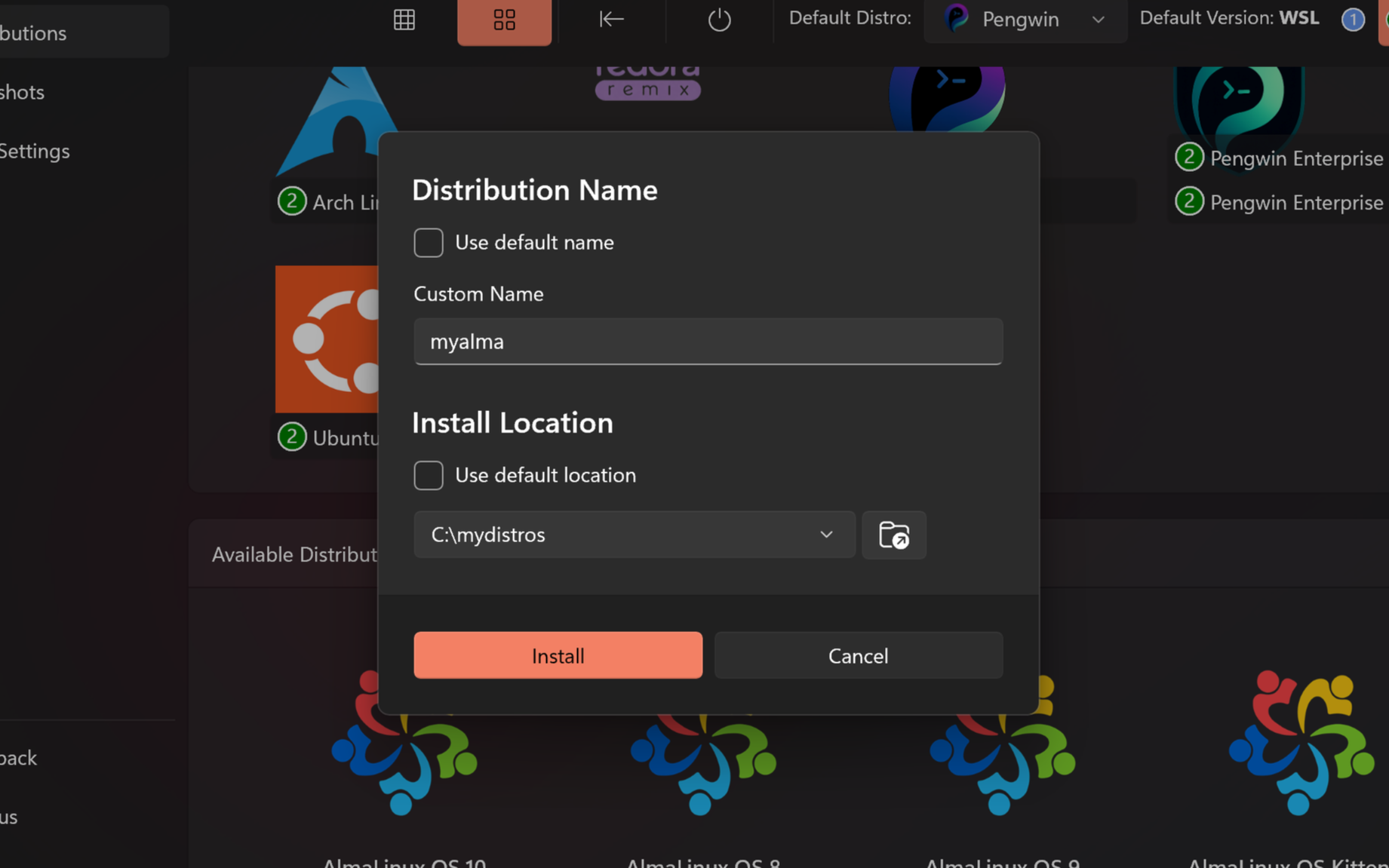
More flexible distribution installation
Raft WSL now supports custom install options for modern WSL distributions that implement the --name and --location arguments. When available, you can choose a custom distribution name and installation path during setup.
This gives you more control over how your WSL environments are organized, especially on systems with multiple drives or more advanced storage layouts.
Move installed distributions more easily
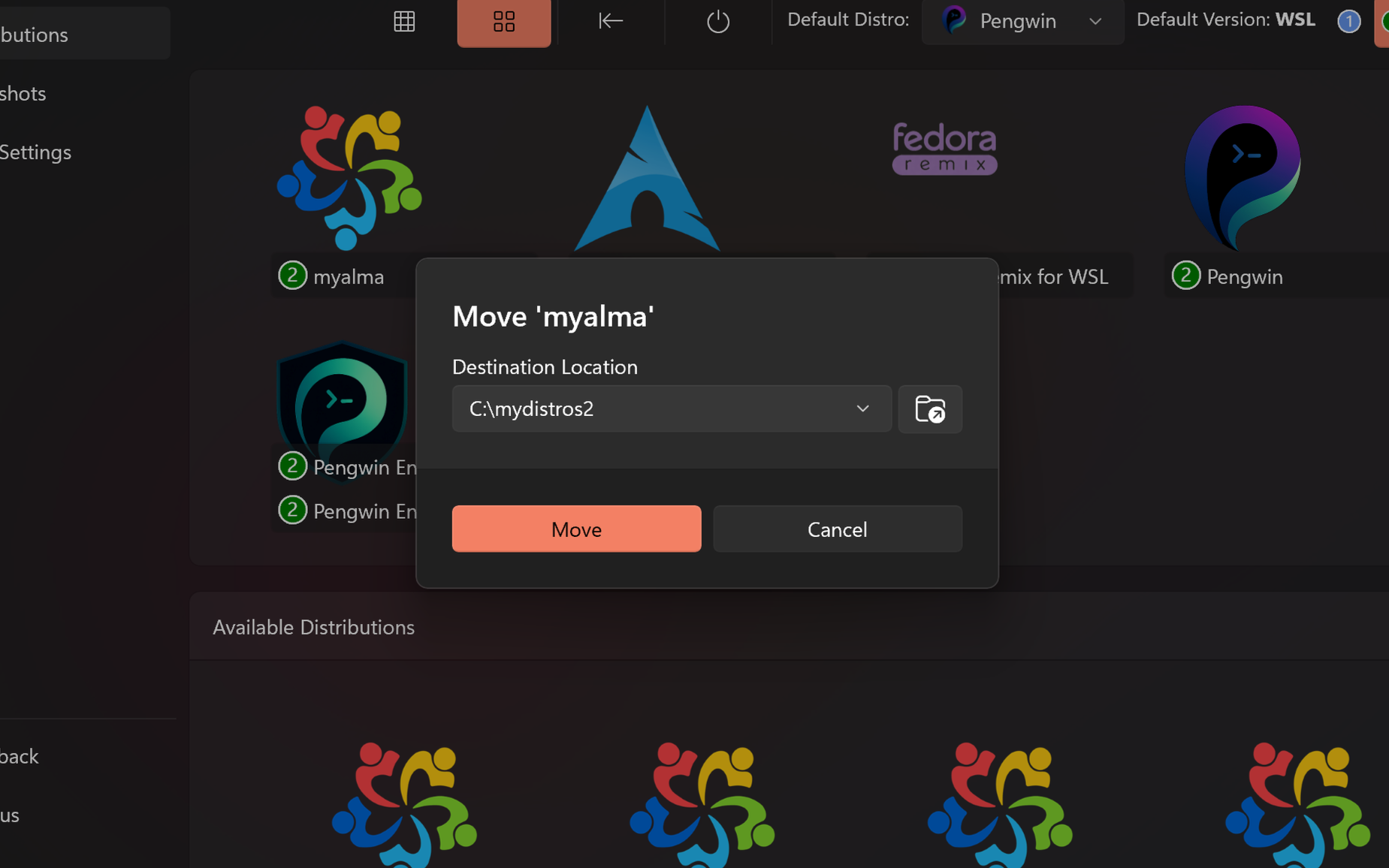
We’ve added a new Move to… option to the context menu for installed distributions. This uses wsl --manage --move where supported, making it easier to relocate a distribution to a different storage location without manual export and import steps.
This is particularly useful when reorganizing storage or moving larger distributions off your system drive.
Snapshot management improvements
Snapshot workflows have received a major usability upgrade in this release.
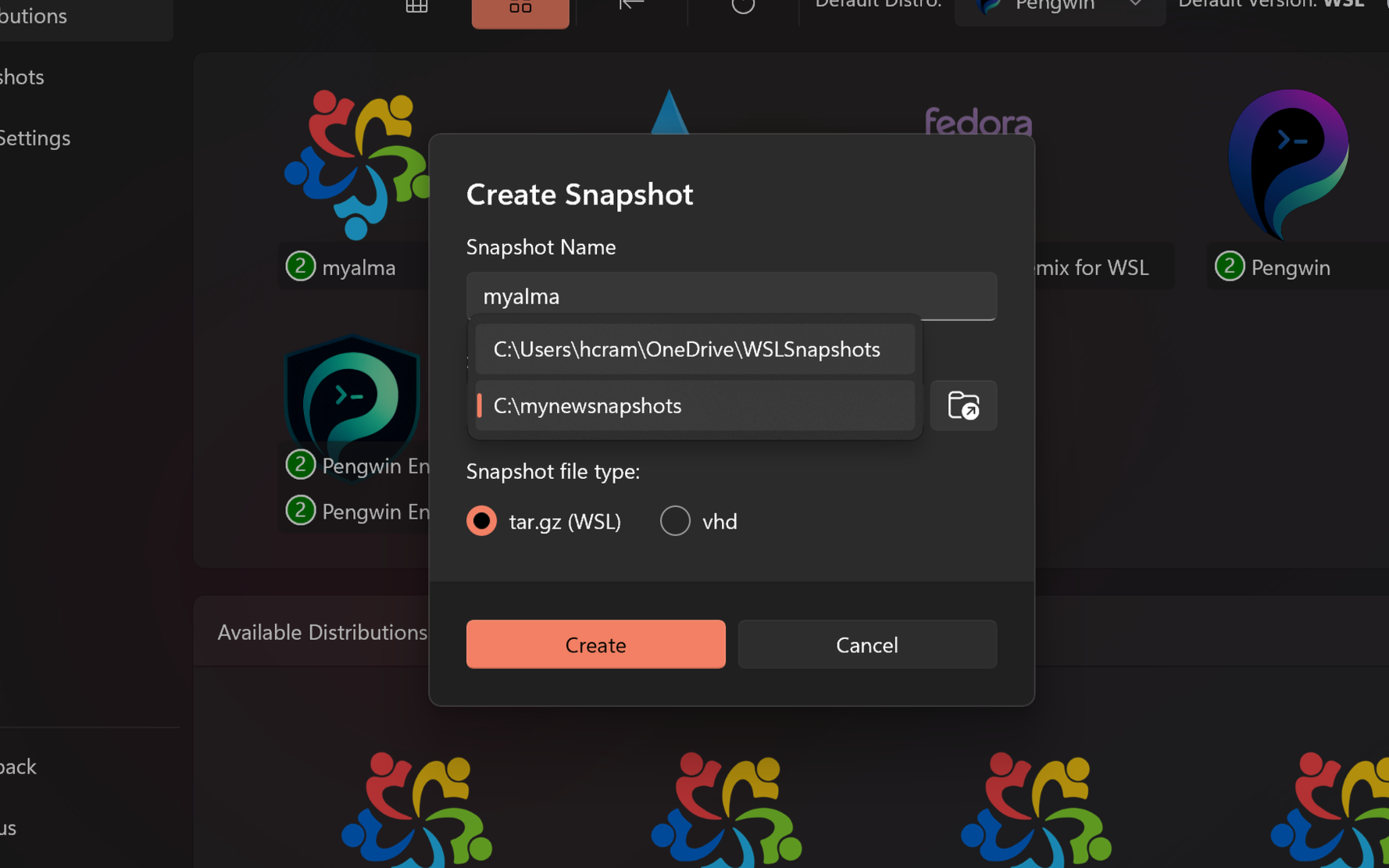
You can now move snapshots between storage locations through a dedicated workflow that includes path normalization and duplicate detection. We have also replaced the old single snapshot location setting with a more dynamic model based on actual backup data.
The Snapshot creation dialog now offers an editable location selector, making it easier to reuse an existing path or define a new one when needed. In the Snapshots screen there is also a dedicated Add location button, which lets you add an existing backup location so Raft WSL can discover and surface the snapshots already stored there.
This is especially useful when working across multiple PCs. For example, if your snapshots are stored in a OneDrive-synced folder, you can simply add that folder on another machine and your existing backups will become available in Raft WSL without needing to recreate them.
Better distro import and restore location handling
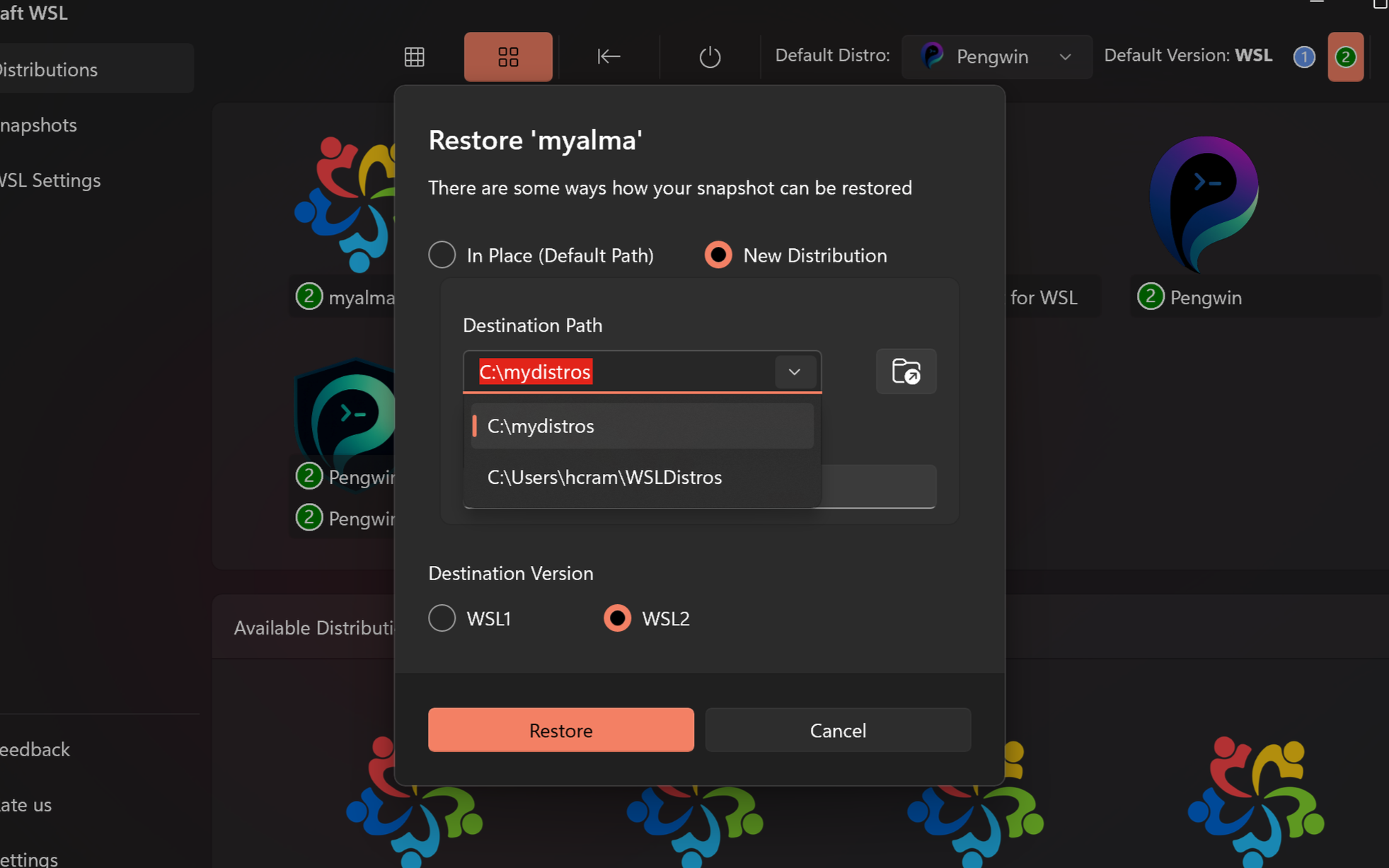
We also improved how Raft WSL handles custom distro locations.
Instead of relying on a static configured path, Raft WSL now builds a dynamic list of install locations based on the WSL distributions already present on the machine. The restore and import workflow now uses this real-world data to populate an editable selector, helping reduce friction and making location choices more intuitive.
Why this matters in real-world setups
These improvements are especially useful when you want to organize your Linux environments and backups more deliberately.
For example, you may want to keep active distributions on a faster SSD while storing snapshots and older backups on a larger secondary drive. You may want some backups to live in a cloud-synced folder such as OneDrive for added convenience or portability. You may also want to keep personal and work environments clearly separated, or maintain distinct distro and backup locations for different customers so projects remain properly isolated.
Raft WSL 26.4.0 makes these workflows much easier to manage by giving you more control over where distributions and snapshots live, while reducing the friction of reusing those locations over time.
Settings export and import
Raft WSL 26.4.0 adds support for exporting and importing settings from the Settings page.
This makes it possible to back up and restore important Raft WSL data, including settings and internal databases, as a zip file. The most important settings to preserve are your backup locations, since they make it much easier to reconnect Raft WSL to snapshots you already have stored across local drives, external storage, or cloud-synced folders such as OneDrive. It is especially useful when moving to a new PC or restoring your setup after reinstalling the app.
Smarter location memory
Raft WSL now remembers the last used backup and custom distro locations and preselects them in the relevant dialogs. Per-distribution backup location tracking is also supported.
The result is a smoother workflow with fewer repeated selections when working with the same paths regularly.
Updated product branding
This release also brings the complete Whitewater Foundry product rebrand into Raft WSL.
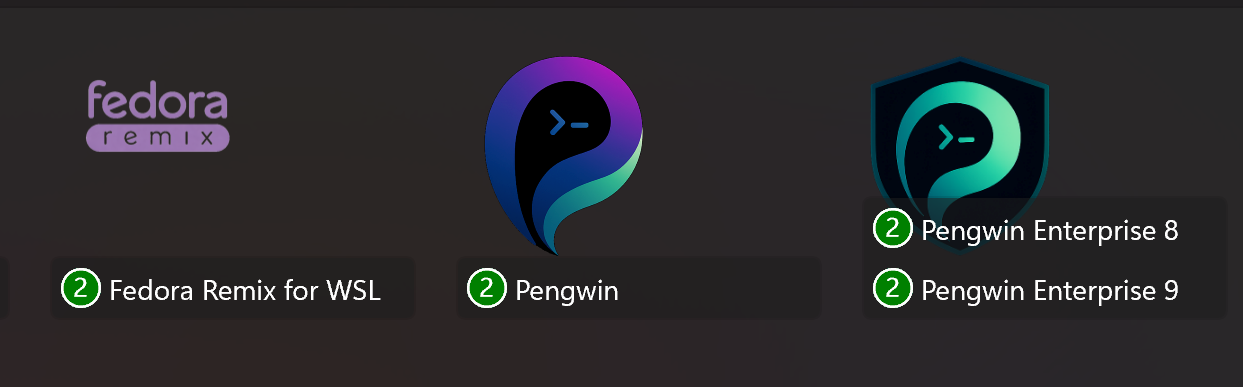
Raft now reflects the new visual identity across the product family, including updated logos for Raft, Pengwin, Fedora Remix for WSL, and Pengwin Enterprise. This helps create a more consistent experience across Whitewater Foundry products while laying the groundwork for future updates.
Jump List integration
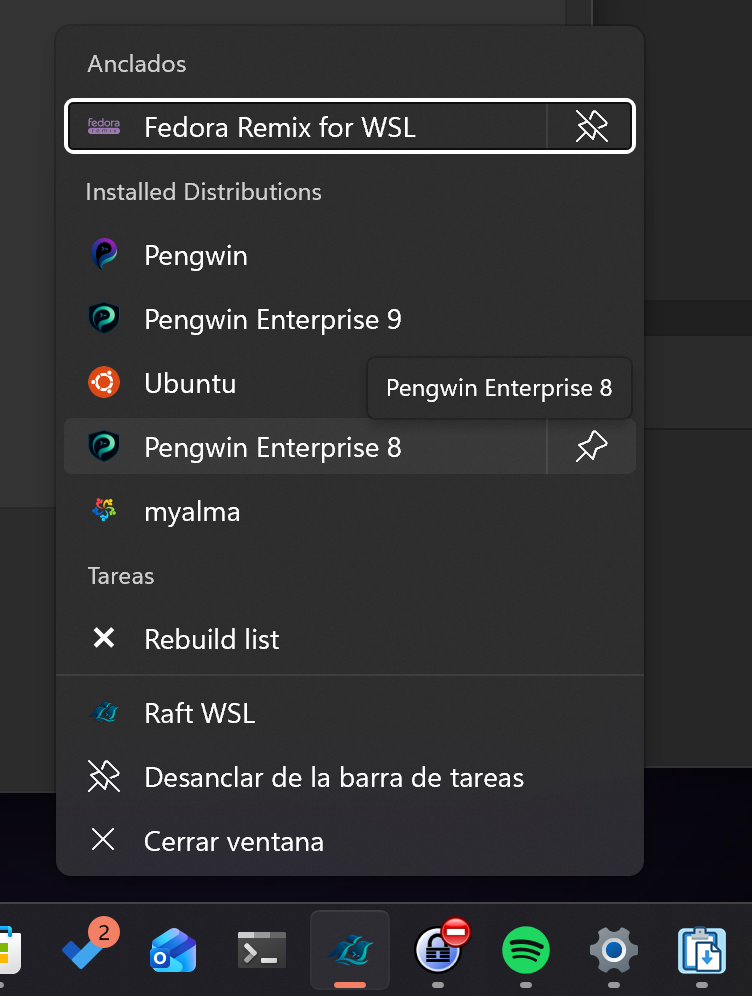
Installed WSL distributions now appear directly in the Windows Jump List when right-clicking the Raft WSL taskbar icon or from the Start menu.
This makes it much easier to get to the distributions you use most. You can pin the ones you use frequently, remove the ones you rarely need, and keep your most important environments within quick reach.
You can use it even when Raft WSL is not currently running, making it a faster and more convenient way to launch into your Linux environments.
Stability fixes
This release also includes important fixes.
Raft WSL no longer crashes when opening the Snapshots tab if one of the configured snapshot locations is unavailable, such as when a drive is disconnected or permissions have changed. Inaccessible paths are now skipped gracefully.
We also fixed several unsafe string parsing cases that could lead to crashes when processing malformed or unexpected input from file dialogs, WSL output, or registry data. Version parsing has also been hardened to better handle invalid version strings.
Available now
Raft WSL 26.4.0 is available now.
This update continues our work to make Raft WSL a more reliable and more capable management layer for Linux on Windows, especially for users who need better control over where distributions and snapshots live, and how their setup is preserved over time.