
Pengwin February Update (26.02.5)
Release: 26.02.5
Update path: Existing users can update immediately by running pengwin-setup update.
Executive summary
This release focuses on foundation upgrades and day-to-day developer productivity. The big themes are:
- systemd is now enabled by default on new installs to improve compatibility with modern Linux tooling.
- Modern WSL architecture migration so export/import workflows preserve key Windows-side integrations.
- AI tooling and UX polish, including a dedicated AIUTILS menu and better launch behavior.
- Graphics and remote desktop improvements for smoother GUI workloads.
Highlights
systemd default-on for new installs
systemd is now enabled by default for new Pengwin installs. This provides better compatibility with services, developer toolchains, and modern Linux workflows.
- Existing users are not forced into the change; you can opt in via pengwin-setup.
- Pengwin remains fully functional without systemd and on WSL1.
Migrated to the new WSL export/import architecture
Pengwin now aligns with the updated WSL distro model.
wsl --export/wsl --importimports under a new name now preserve the icon and the Windows Terminal profile.- New installs register as
Pengwininwsl --list. - Upgrades keep the legacy
WLinuxname for compatibility and continuity.
Better “launch into current directory” behavior
Pengwin now starts in the current directory when launched via:
- Open with Windows Terminal, and
- when Pengwin is configured as the default entry.
New branding

New logo
Pengwin now ships with a **new logo**, refreshed across the Windows-side integration points.
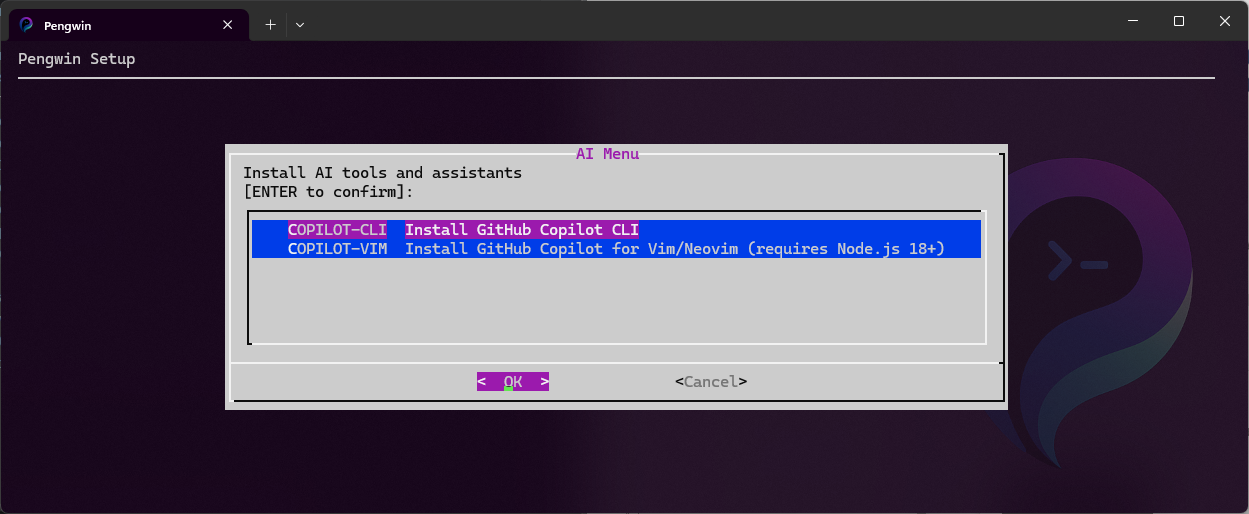
AIUTILS: install AI tools from pengwin-setup
A new AIUTILS menu is available in pengwin-setup for installing:
- GitHub Copilot CLI, and
- Copilot for Vim/Neovim.
Graphics, GUI, and XRDP improvements
Optional D3D12 acceleration toggle
Added a GUI option to disable D3D12 hardware acceleration—useful if you’re working around driver issues or intentionally forcing software rendering.
XRDP performance improvements
Enabled XRDP compression options for better Xfce responsiveness.
XDG environment correctness
XDG_* environment variables are now correctly defined to improve GUI app behavior and consistency.
VcXsrv upgrade
Updated VcXsrv to 21.1.16.
Compatibility and reliability
Systemd-on-WSL hardening
Improved compatibility by masking known-conflicting services (symlinking unit files to /dev/null) following Microsoft guidance.
WSL1 compatibility hardening
Pengwin-setup now caps Node.js to v22 on WSL1 to avoid newer upstream incompatibilities.
Desktop environment installer fix
Fixed an Xfce installation issue where the polkit user was not defined.
Better non-systemd runtime behavior
Improved:
- D-Bus management when systemd is disabled.
/run/userdirectory management when systemd is disabled.
Tooling and developer experience
- Added fzf (command-line fuzzy finder) to the Tools menu.
- Added Bash completion for the
wslcommand inside Pengwin. - Improved winget completions.
- Improved the package update progress bar styling to better integrate with the background.
.NET installer refresh
Updated the .NET installer to .NET 10 (also available on ARM64 platforms).
Installer maintenance
- Improved the Homebrew installer to better handle recent upstream changes.
- Fixed the LAMP MariaDB installer.
- Upgraded the Joomla installer.
- Improved Ruby installation performance on machines with more than 4 cores.
Also included since 25.11.0
If you’re coming from an older build, this update also includes major platform upgrades shipped in 25.11.0:
- Upgraded to Debian 13 (Trixie).
- Upgraded to Mesa 25.2.6-1~bpo13+1.
- Updated Terraform to 1.13.5.
- GPU acceleration improvements: added the default user to the render group.
- Debian 13 backports fixes and install-time checks for Debian version consistency.
- DISPLAY setup improvements (using default gateway from
ip route). - Dependency updates (added
kmodandprocps; removed systemd from package dependencies; addedmesa-libgalliumto Recommends). - Updated pengwin-load-vgem-module for virtual graphics support.
- Documentation and metadata polish (keywords, typos, features docs).
How to update
- Open Pengwin.
- Run:
pengwin-setup update
If you’re upgrading across major Debian baselines, follow any prompts shown during the update and apply recommended package upgrades.
Notes for enterprises and IT-managed environments
- New installs ship with systemd enabled by default, which can reduce friction for modern developer stacks.
- Existing environments remain stable: systemd can be enabled selectively through pengwin-setup.
- The WSL export/import changes improve portability while preserving Windows-side integration.
Feedback and support
If you hit any regressions or want to influence priorities for upcoming releases, file an issue in the Whitewater Foundry GitHub tracker and include:
- your Windows version
wsl --version- whether you’re on WSL1 or WSL2
- relevant logs (pengwin-setup output and/or journal output if systemd is enabled)